How to Test Proxies in 2026
Learn four proven methods to find out if your proxies are good.

Whether you’ve found a proxy list online or bought some IPs from a provider, it’s always a good idea to test your proxies before using them. Many proxy providers offer a money-back guarantee, but it only lasts for a short while or a small percentage of the bandwidth bought. In any case, knowing what you’re working with can save you from a large headache later on.
In this article, I’ll teach you how to test proxies using four simple but reliable tools. With them, you’ll be able to check if your proxies work, if they make you anonymous, and if they can access the websites you need.
Here’s a quick table comparing the methods. Clicking on their names will scroll down to relevant places of this page:
| Proxyway’s proxy checker | Online IP checker | IP database | Local proxy checker | |
| Price | Free | Free for base functionality | 50-200 free lookups per day | Free |
| Type | Online | Online | Online | Installable |
| Best for | Getting a well-rounded overview of a proxy server’s status, location, and speed | Checking if your IP address and location have changed after you’ve connected to a proxy server | Getting advanced information about a proxy server’s anonymity and connection type | Checking if proxies work with specific targets and how fast they connect from your computer |
If you’d like something more powerful, there’s always an option to build your own proxy tester.
How to Test Proxies with Proxyway’s Proxy Checker
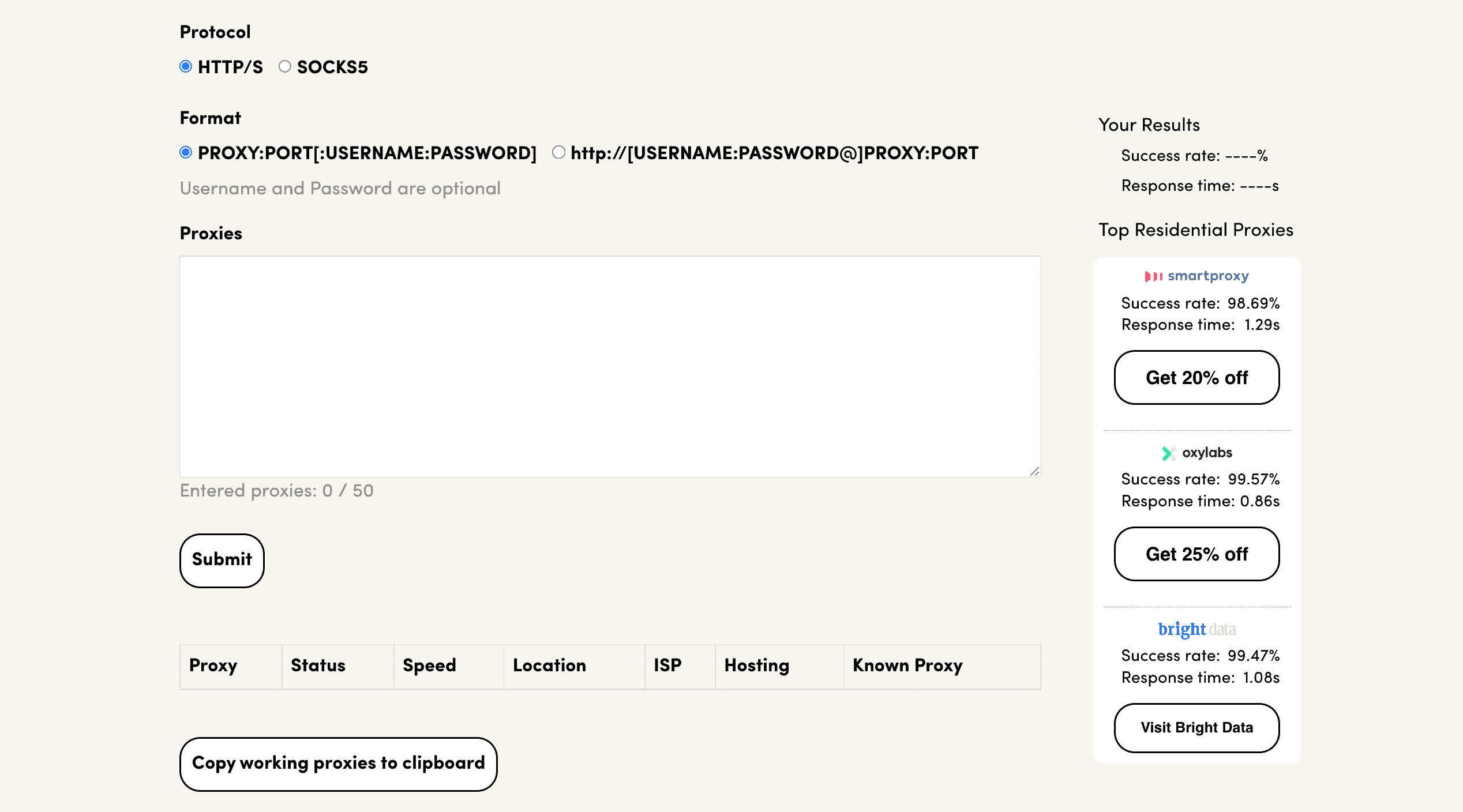
Our free online proxy checker provides an easy way to test proxies and their various aspects. You can enter multiple proxies at once to see if they work, where they’re located, and how fast it takes to connect to them. Depending on your use case, this can be all you need.

| What Proxyway’s proxy checker reveals | Its limitations |
|
|
How to use the proxy checker: Go to the proxy checker’s page, enter a list of proxies, and press Submit. After the tests are done, you’ll see a table with the information. You’ll be able to export working proxy servers.
See If You’re Using a Proxy Server with an Online IP Checker
An IP checker is the most go-to measure to test proxies. It shows your IP address and location. If they differ from your current IP and location, you can assume that connection requests are successfully going through a proxy server. There are many such services, but we’ll take ipinfo.io as an example.

| What IP checkers reveal | Their limitations |
|
|
How to use IP checkers: One way is to set up a proxy in your browser and then simply visit the proxy checker’s website. The second way is to send a cURL request using your operating system’s terminal. It’s more technical but doesn’t require you to configure the proxies beforehand.
Learn More About Your Proxies with an IP Database
A database is like an IP checker but on steroids. It shows useful information about your proxies, such as which proxy type they belong to. Good IP databases cost money, though some allow checking a limited number of IP addresses free of charge. For example, the IP2Location database lets you check 50 (or 200 if you register) IPs per day without paying.

| What an IP database reveals | Its limitations |
|
|
How to use IP databases: The principle is very similar to online IP checkers. One way is to set up a proxy server on your browser and visit the database’s page. Another way, if you know the proxy’s IP address, is to enter it on the website. And the third way is to use the IP database’s API to get the information programmatically.
Test Proxy Performance on Real Websites with a Local Proxy Checker
Local proxy checkers are apps you install on your computer. Their main purpose is to measure how well your proxies can access particular websites. Local proxy checkers are also great for testing the proxy server’s speed, as they connect from your location. There are plenty of options to choose from, but for this example, we’ll be using Decodo’s proxy checker. It’s available both for Windows and macOS.

| What a local proxy checker reveals | Its limitations |
|
|
How to use local proxy checkers: Download and install your checker of choice. Then simply paste in your proxy list, enter a URL, and run the test.
Building Your Own Proxy Tester
If you’re as serious about proxy testing as we are, you can build your own tool. Having one will give you much more control over which aspects you want to evaluate. You’ll be able to select multiple targets, connection concurrency settings, and the testing duration. Plugging in an IP database will give you further data about proxy locations, types, and even details like the protocol (IPv4 or IPv6) and subnet class of the IPs.
We have made our proxy testing script freely available on GitHub. You can use it as a template for developing your own benchmark.
Conclusion
So, now you know how to test your proxies. I hope this will come in handy. If by any chance you find your current proxies lacking, feel free to read our proxy provider reviews. We write about the leading residential proxy services based on in-depth research and extensive performance tests. Good luck!